
 AI Summary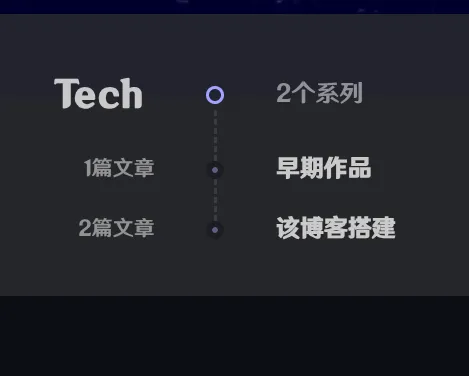
This blog is based on the Fuwari theme and has undergone significant personalization. This guide outlines the implementation principles of various features.
This guide only contains core principles and involved files. It does not display the full code. If you are interested in specific implementation details, please check this site’s Git Repository.
Some features of this blog were originally written by other developers; I have optimized and integrated them. If you want to support the original authors, please check the repository README.
1. Post Pinning
Principle: Added an order field to the post frontmatter to control sorting (1 for top, -1 for bottom). When fetching the post list, the system prioritizes sorting by order, and UI components display specific labels based on the value.
Related Files:
src/configs/pinning.ts(Feature toggle)src/content/config.ts(Schema definition)src/utils/content-utils.ts(Sorting logic)src/components/PostCard.astroandsrc/pages/posts/[...slug].astro(UI display)
2. Post Series
Organize multiple posts into a series for continuous reading.
Principle:
- Enablement & Structure: Enabled via config and added a
seriesfield tofrontmatter. - Series Page: A dedicated page that groups all posts by “Category -> Series”.
- Sidebar Widget: Displays the list of posts in the current series on the sidebar of each post page.
Related Files:
src/configs/series.ts(Feature toggle)src/content/config.ts(Schema definition)src/pages/series.astro(Series list page)src/components/SeriesPanel.astro(Series list component)src/components/widget/Series.astro(Sidebar widget for posts)src/utils/content-utils.ts(Fetching logic)src/utils/url-utils.ts(URL generation)
3. Comment System (Twikoo)
Principle: Using the lightweight Twikoo comment system.
- Configuration: Set the environment ID and other parameters in the config file.
- Component: An Astro component that dynamically loads the Twikoo script and handles re-initialization during page transitions.
Related Files:
src/configs/twikoo.ts(Twikoo config)src/components/comment/Twikoo.astro(Twikoo component)src/components/comment/index.astro(Entry component)
4. AI Summary
Principle: Displays an AI-generated summary with a typewriter effect at the beginning of the post.
- Config & Schema: Enabled via config; summary content stored in the
aifield of postfrontmatter. - Component: Responsible for rendering text and executing the typewriter animation via an inline script.
- Styles: CSS defines the module layout and the blinking cursor animation.
Related Files:
src/configs/ai-summary.tssrc/content/config.tssrc/components/misc/AISummary.astro(Component and script)src/styles/main.css(Module styles)
5. Font Modification
Principle: Replaced default fonts to optimize the Chinese reading experience.
- Preparation: Font files are placed in the
public/directory. - Global Injection: Injected via
@font-facein the global layout and applied to thebodytag.
Related Files:
public/MiSans-Regular.ttf(Font file)src/configs/font.ts(Font configuration)src/layouts/Layout.astro(Global style injection)
6. Sidebar Blog Info
Principle: Dynamically displays blog statistics in the sidebar, such as total articles, series, tags, categories, and word count.
- Config: Control visibility of each statistic item.
- Stat Functions: Utility functions traverse all posts to calculate data.
- UI Component: Calls the functions and renders the dashboard.
Related Files:
src/configs/blog-info.ts(Toggle and display config)src/utils/content-utils.ts(getBlogStatsfunction)src/components/widget/BlogInfo.astro(Display component)
7. Website Running Time
Principle: Displays how long the site has been live in the sidebar.
- Config: Set the site’s launch date.
- Component: Contains an inline script that calculates the difference between now and the start date, updating every second.
Related Files:
src/configs/running-time.ts(Start date config)src/components/misc/RunningTime.astro(Timer component)
8. Related Posts Recommendation
Principle: Recommends similar posts at the bottom of an article based on shared tags and categories.
- Config: Enabled via config with a limit on the number of recommendations.
- Logic: A utility function calculates similarity scores based on overlapping metadata.
- UI Component: Receives the list and renders links with adaptive theme colors.
Related Files:
src/configs/related-posts.tssrc/utils/content-utils.ts(getRelatedPostslogic)src/components/misc/RelatedPosts.astro(Display component)
9. Share Buttons
Principle: Provides buttons to share to social media or copy the link.
- Config: Global toggle for the share module.
- Component: Includes buttons for Twitter, Facebook, and a custom copy-to-clipboard button with visual feedback.
Related Files:
src/configs/share-buttons.tssrc/components/misc/ShareButtons.astro
10. Outdated Reminder
Principle: Displays a warning if a post hasn’t been updated for a long time.
- Config: Set the threshold (in days) for the reminder.
- Page Logic: The post page calculates the difference between the current date and the last modified date, displaying the card if it exceeds the threshold.
Related Files:
src/configs/outdated-reminder.tssrc/pages/posts/[...slug].astro(Reminder logic)
11. Glassmorphism Effect
Principle: Implements semi-transparent (frosted glass) UI elements via CSS backdrop-filter, with a user-controlled toggle.
- UI Switch: A Svelte component provides the toggle and persists the choice in
localStorage. - CSS Styles: Defines specific glass styles for cards and panels, utilizing CSS variables for theme compatibility.
- Dynamic Navbar: Detects scroll position to adjust navbar transparency and blur dynamically.
Related Files:
src/components/GlassSwitch.svelte(Toggle component)src/styles/main.css(Glass styles for cards)src/styles/navbar.css(Navbar specific glass logic)src/styles/variables.css(Color and blur variables)
Anyway, where is the code? To prevent others from repeating my mistakes, all detailed implementation code can be found in the Git repository.
Make sure to run pnpm check and pnpm lint! Otherwise, you might find dozens of bugs right after your “improvements” (speaking from experience).
Some content may be outdated
0 Comments